
Banner Groups

Rupali
Last Update 4 months ago
Banners can be assigned to different groups and each group can be placed at a different location on the product page. Instead of displaying all the Banners together in one cluster, Banner Groups gives you the flexibility to display them at different locations.
As an example, you can show a group of Banners below the product title and a group of different Banners above the product description. or below the product description
As an example, you can show a group of Banners below the product title and a group of different Banners above the product description. or below the product description
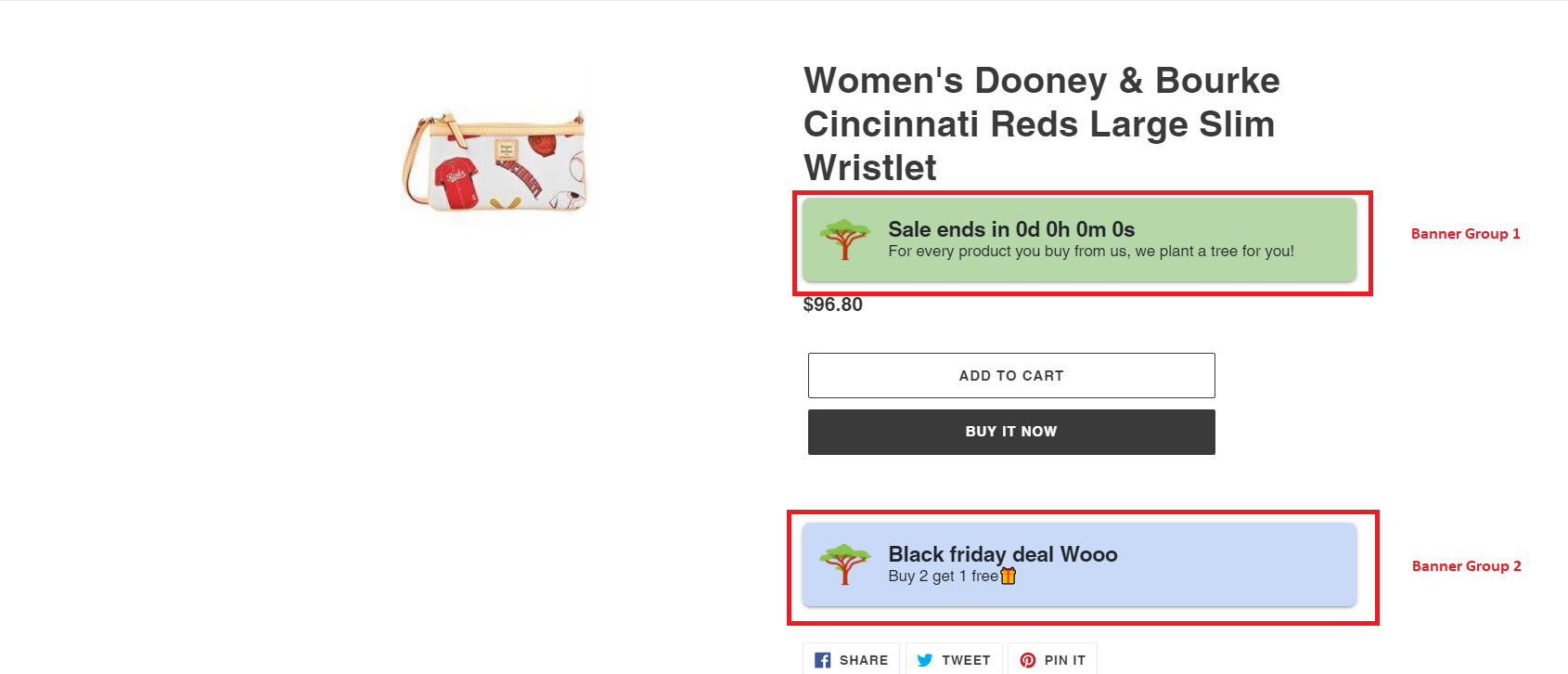
For each Banner group, you will have to add a 1-line integration code at the location where the banner group needs to be displayed. In the integration code, add the 'smartbanGroup' parameter to specify the Banner group number.
Example integration code for smartban group 2:
{% render 'smartban', product: product, smartbanGroup:'2', smartbanOuterClass:'smart-mb-2 smart-mt-2 smart-text-left', smartbanOuterStyle:'', smartbanInnerStyle:'', smartbanInnerClass: 'smart-d-block smart-mb-1' %}
The above code will add Banner group 2 on the above product description.
Similarly, you can add the integration code for banner group 1 and group 3.
Currently, a maximum of 3 groups can be displayed per page.
If you have problems with the installation or want to change the location of the banner, please raise a support ticket here or email us at tickets@smart-product-description.p.tawk.email and we will take care of it.
Example integration code for smartban group 2:
{% render 'smartban', product: product, smartbanGroup:'2', smartbanOuterClass:'smart-mb-2 smart-mt-2 smart-text-left', smartbanOuterStyle:'', smartbanInnerStyle:'', smartbanInnerClass: 'smart-d-block smart-mb-1' %}
The above code will add Banner group 2 on the above product description.
Similarly, you can add the integration code for banner group 1 and group 3.
Currently, a maximum of 3 groups can be displayed per page.
Banner groups are available for Pro plan and above users only.
If you have problems with the installation or want to change the location of the banner, please raise a support ticket here or email us at tickets@smart-product-description.p.tawk.email and we will take care of it.